


Variables are how we store data as our program runs.
Up 'til now we've been printing data by passing it straight into print().
Now we're going to save the data in variables so we can reuse it and change it before printing it.
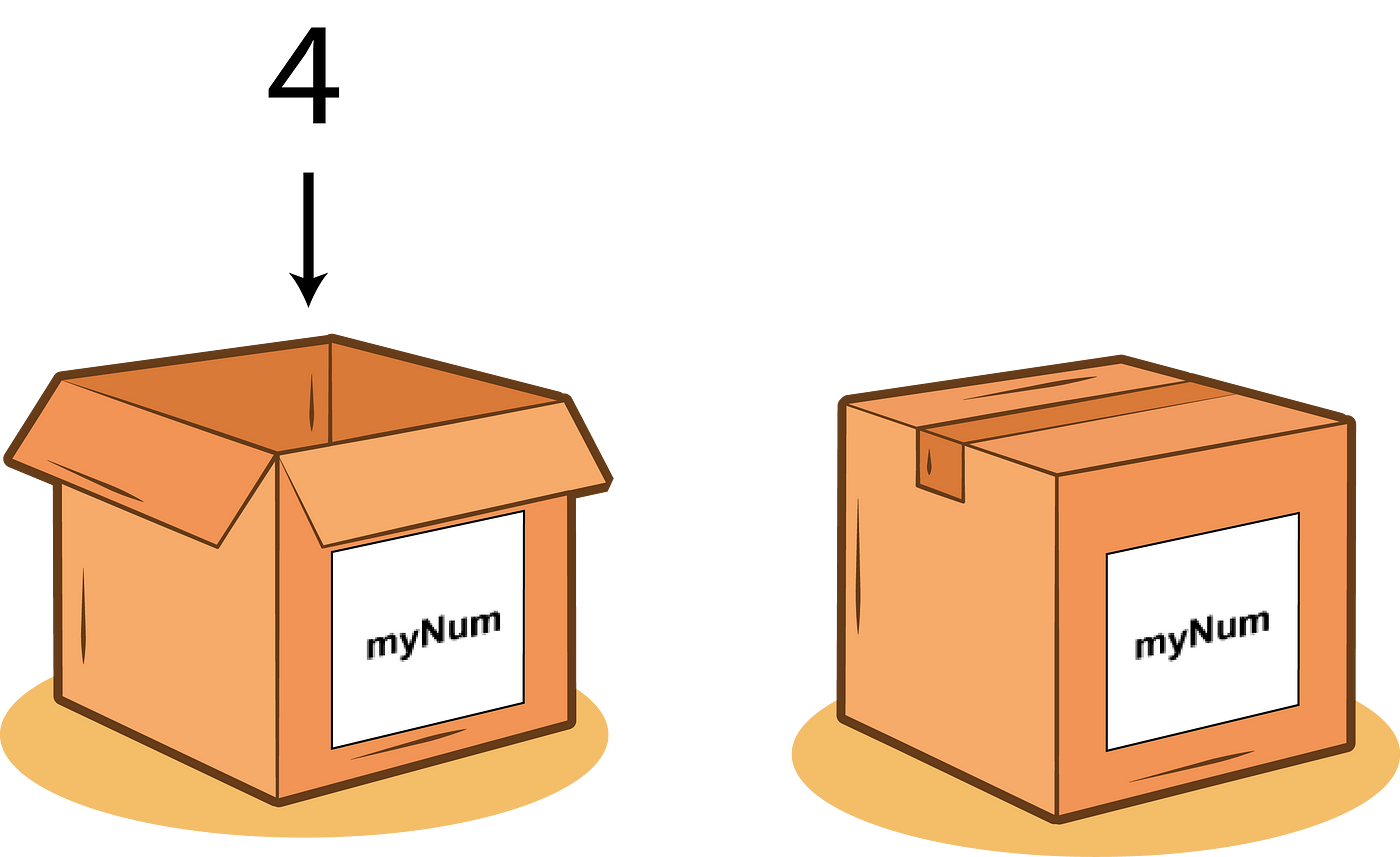
Creating Variables
A "variable" is just a name that we give to a value.
For example, we can make a new variable named my_height and set its value to 100:
my_height = 178
Or we can define a variable called my_name and set it to the text string "Alessandro":
my_name = "Alessandro"
We have the freedom to choose any name for our variables, but they should be descriptive and consist of a single "token", meaning continuous text with underscores separating the words.
Using Variables
Once we have a variable, we can access its value by using its name.
For example, this will print 100:
print(my_height)
And this will print Alessandro:
print(my_name)
Variables Vary
Variables are called "variables" because they can hold any value and that value can change (it varies).
For example, this code prints 20:
acceleration = 10
acceleration = 20
print(acceleration)
The line acceleration = 20 reassigns the value of acceleration to 20. It overwrites whatever was being held in the acceleration variable before (10 in this case).
Math
Now that we know how to store and change the value of variables let's do some math! Here are examples of common mathematical operators using Python syntax.
Addition
my_sum = a + b
Subtraction
my_difference = x - y
Multiplication
my_product = c * d
Division
my_quotient = a / b
Order of Operations
Parentheses can be used to order math operations:
first = 5
second = 7
third = 9
average_value = (first + second + third) / 3
print(average_value)
Which prints 7, the average of 5, 7, and 9.
Negative Numbers
Negative numbers in Python work the way you probably expect. Just add a minus sign:
my_negative_num = -420Comments
Comments don't do... anything. They are ignored by the Python interpreter. That said, they're good for what the name implies: adding comments to your code in plain English (or whatever language you speak).
Single Line Comment
A single # makes the rest of the line a comment:
# speed describes how fast the player
# moves in meters per second
speed = 2
Multi-Line Comments (Aka docstrings)
You can use triple quotes to start and end multi-line comments as well:
"""
    the code found below
    will print 'Hello, World!' to the console
"""
print("Hello, World!")
This is useful if you don't want to add the # to the start of each line when writing paragraphs of comments.
Variable Names
Variable names must not have spaces. They're continuous strings of characters.
The creator of the Python language himself, Guido van Rossum, implores us to use snake_case for variable names. What is snake case? It's just a style for writing variable names. Here are some examples of different casing styles:
| Name | Description | Code | Language(s) that recommend it |
|---|---|---|---|
| Snake Case | All words are lowercase and separated by underscores | num_new_users |
Python, Ruby, Rust |
| Camel Case | Capitalize the first letter of each word except the first one | numNewUsers |
JavaScript, Java |
| Pascal Case | Capitalize the first letter of each word | NumNewUsers |
C#, C++ |
| No Casing | All lowercase with no separation | numnewusers |
...just don't do this |
Basic Variable Types
Python has several basic data types.
Strings
In programming, snippets of text are called "strings". They're lists of characters strung together. We create strings by wrapping the text in single quotes or double quotes. That said, double quotes are preferred.
name_with_single_quotes = 'boot.dev' # not so good
name_with_double_quotes = "boot.dev" # so good
Numbers
Numbers are not surrounded by quotes when they're declared.
An integer (or "int") is a number without a decimal part:
x = 5 # positive integer
y = -5 # negative integer
A float is a number with a decimal part:
x = 5.2
y = -5.2
Booleans
A "Boolean" (or "bool") is a type that can only have one of two values: True or False. As you may have heard, computers really only use 1's and 0's. These 1's and 0's are just True/False boolean values.
is_tall = True
is_short = False
F-Strings in Python
Have you ever played old-school Pokemon and chosen a funny name so that the in-game messages would come out funny?

In Python, we can create strings that contain dynamic values with the f-string syntax.
num_bananas = 10
bananas = f"You have {num_bananas} bananas"
print(bananas)
# You have 10 bananas
- Add an
fto the start of quotes to create an f-string:f"this is easy!" - Use curly brackets
{}around a variable to interpolate (put) its value into the string.
You can also use an f-string directly inside a print() call, without assigning it to a variable first. It's just a string — don't overthink it!
NoneType Variables
Not all variables have a value. We can make an "empty" variable by setting it to None. None is a special value in Python that represents the absence of a value. It is not the same as zero, False, or an empty string.
my_mental_acuity = None
The value of my_mental_acuity in this case is None until we use the assignment operator, =, to give it a value.
None Is NOT a String
NoneType is not the same as a string with a value of "None":
my_none = None # this is a None-type
my_none = "None" # this is a string with the value "None"
As we mentioned before, the None keyword is used to define an "empty" variable.
So when would you use it? One use case is to represent that a value hasn't been determined yet, for example, an uncaptured input. Maybe your program is waiting for a user to enter their name. You might start with a variable:
username = None
Then later in the code, once the user has entered their name, you can assign it to the username variable:
username = input("What's your name? ")
Remember, it's crucial to recognize that None is not the same as the string "None".
They look the same when printed to the console, but they are different data types. If you use "None" instead of None, you will end up with code that looks correct when it's printed but fails the tests. In that case, printing the type would distinguish between the two values.
str_none = "None"
actual_none = None

print(str_none) # None
print(actual_none) # None

print(type(str_none)) # <class 'str'>
print(type(actual_none)) # <class 'NoneType'>
Dynamic Typing
Python is dynamically typed, which means a variable can store any type, and that type can change.
For example, if I make a number variable, I can later change that variable to a string:
speed = 5
speed = "five"
But Like, Maybe Don't
In almost all circumstances, it's a bad idea to change the type of a variable. The "proper" thing to do is to just create a new one. For example:
speed = 5
speed_description = "five"
What Is Non-Dynamic Typing?
Languages that aren't dynamically typed are statically typed, such as Go and Typescript In a statically typed language, if you try to assign a value to a variable of the wrong type, an error would crash the program.
If Python were statically typed, the first example from before wouldn't allow the second line, speed = "five". The computer would give an error along the lines of you can't assign a string value ("five") to a number variable (speed).
Math With Strings
When working with strings the + operator performs a "concatenation", which is a fancy word that means "joining two strings". Generally speaking, it's better to use string interpolation with f-strings over + concatenation.
first_name = "Lane "
last_name = "Wagner"
full_name = first_name + last_name
print(full_name)
# prints "Lane Wagner"
full_name now holds the value "Lane Wagner".
Notice the extra space at the end of "Lane " in the first_name variable. That extra space is there to separate the words in the final result: "Lane Wagner".
Multi-Variable Declaration
We can save space when creating many new variables by declaring them on the same line:
sword_name, sword_damage, sword_length = "Excalibur", 10, 200
Which is the same as:
sword_name = "Excalibur"
sword_damage = 10
sword_length = 200
Any number of variables can be declared on the same line, and variables declared on the same line should be related to one another in some way so that the code remains easy to understand.
We call code that's easy to understand "clean code".
Reference sources